Android · STL · 3MF · ZIP
See the model before you print it.
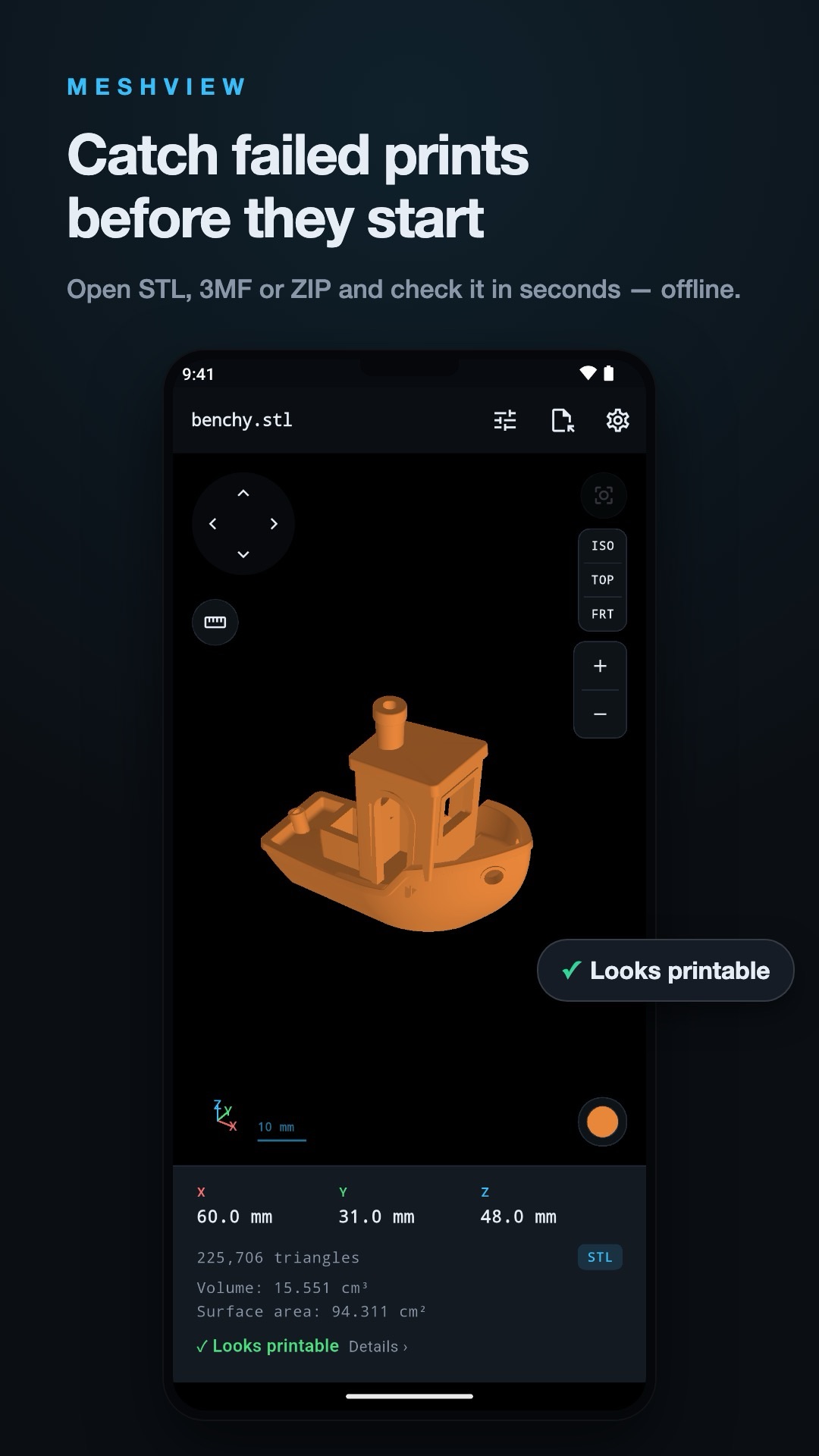
Tap an STL, 3MF or ZIP and it opens in true colour. No ads, no account, and your files never leave your phone.
Built for people who print
True 3MF colours
A multi-colour 3MF shows its own colours, including the filament colours a real Bambu Studio export stores. For STL, pick a filament colour yourself.
Open from anywhere
Share a file from Gmail, Drive, WhatsApp or your file manager. It lands straight in the viewer, and ZIP downloads open directly.
Real dimensions
X, Y and Z extents in millimetres, triangle count, volume and surface area. Volume says "not watertight" instead of guessing.
Printability check
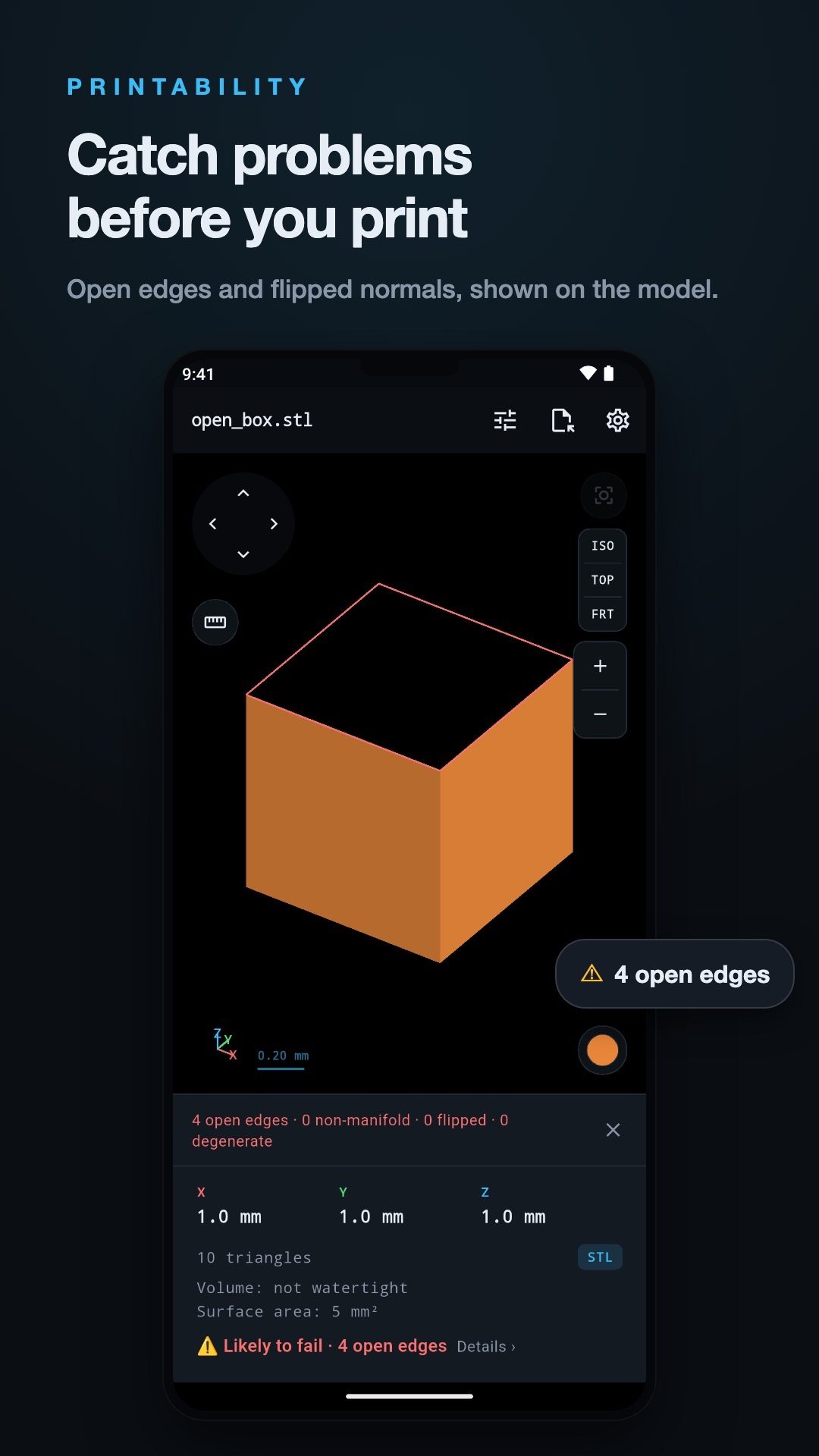
Pro: open edges, flipped normals, non-manifold edges and degenerate faces, highlighted on the model with a plain verdict.
Measure and section
Pro: tap two points to measure, or cut cross-sections along X, Y or Z.
Fast, native parser
The file parser is written in Rust, so big models open quickly and the app stays small.
Files it opens
STL
Binary and ASCII, including files whose headers confuse other viewers.
3MF
Single and multi-colour, including multi-part exports from Bambu Studio.
ZIP
Open a model download directly without unpacking it first.
Check it before you waste filament
MeshView Pro finds open edges, flipped normals and non-manifold edges, highlights them on the model, and gives a plain verdict. It checks the original file at full resolution, even when the preview is simplified.
Free and Pro
Free
- 3 new models a month, re-opens always free
- True 3MF colours, STL filament colours
- Dimensions, triangles, volume, surface area
- Rotate, pan, zoom, preset views
Pro
- Unlimited models
- Point-to-point measure
- Printability check
- Cross-sections and more views
- Lifetime purchase or yearly plan, priced in Google Play
Questions
Which file types does MeshView open?
Binary and ASCII STL, 3MF (including multi-colour and Bambu Studio exports), and ZIP archives containing them. If a ZIP holds several models you choose one.
Are my model files uploaded anywhere?
No. Parsing and rendering happen on your phone. Files are never uploaded, and there is no account. MeshView sends anonymous usage counts (for example which format a file was) and nothing that identifies a file; the privacy policy lists them.
What is free and what is Pro?
Free: open 3 new models a month (re-opening one you have viewed is always free), view in colour, dimensions, triangle count, volume and surface area. Pro: unlimited models, measure, printability check, cross-sections and more. Prices are shown in Google Play.
Does it show painted 3MF colours?
It reads files with brush-painted colour regions and tells you so, but it does not draw the painted areas. We would rather say that than show the wrong colours quietly.
What happens to very large models?
Models above 400,000 triangles are simplified automatically so the preview stays smooth. The readout still shows your file's real triangle count.
Are there ads?
No ads, ever, and no account.